My clean terminal theme with PowerLevel10K
We use dev containers to develop at work. They are set up to automatically install zsh and the PowerLevel10K theme.
I like my command line interface to be as clean as possible. On my personal machine I use terminalparty because it puts all the information on the right side of the terminal screen and just leaves the prompt on the left side. If you get to the metadata on the right side of the terminal, it just hides it to let you keep typing.
 terminalparty looks so clean
However, when I remove PowerLevel10K in our dev containers and replace it with terminalparty I get weird issues that make the terminal almost unusable. So I’ve spent some time figuring out the cleanest terminal I can get with PowerLevel10K.
There are 3 keys to getting it to feel the way I want.
- Always choose to show the least amount, except for the Prompt Height and Prompt Spacing
- Choose “Two Lines” for Prompt Height and “Sparse” for Prompt Spacing
- Enable the Transient Prompt
Choosing two lines for the prompt height and sparce for prompt spacing seems counterintuitive. However, both make it so you will be typing on a new clean line that is clearly separated from any previous outputs. All the other settings remove spacing unnecessary spacing from the screen. What is left is the ability to type from the clean line that starts as left as possible. Other setting may have you typing from the middle of the screen because there is so much extra information added to the start of the prompt.
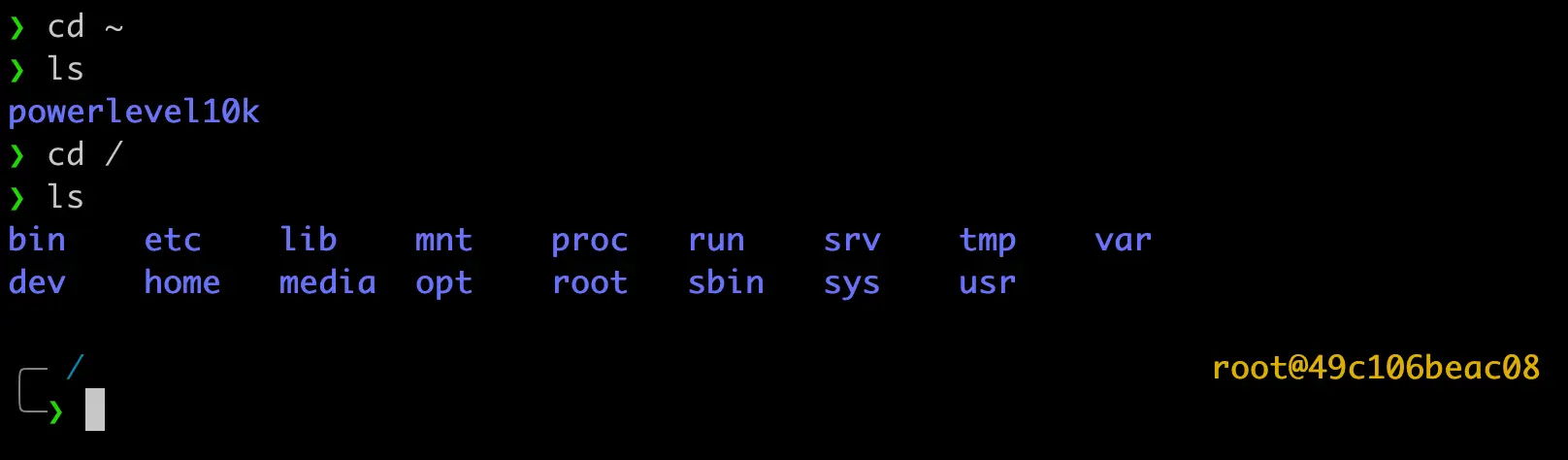 This is the closest I can get to my terminalparty setup. I may even grow to prefer it.
Here is how I answer the configuration options when going through setup.
| **Configuration Option ** | **Option to Select ** |
|---|---|
| Prompt Style | (1) Lean |
| Character Set | (1) Unicode |
| Prompt Colors | (1) 256 colors |
| Show Current Time | (n) No |
| Prompt Height | (2) Two Lines |
| Prompt Connection | (1) Disconnected |
| Prompt Frame | (2) Left |
| Frame Color | (1) Lightest |
| Prompt Spacing | (1) Sparse |
| Prompt Flow | (1) Concise |
| Enable Transient Prompt | (y) Yes |
| Instant Prompt Mode | (1) Verbose (recommended) |
| Apply changes to ~/.zshrc | (y) Yes (recommended) |
If you already have PowerLevel10K installed, you can run the following command to go through configuration again.
p10k configurePublished Jan 22, 2025